Iterative Design Process
designing the first mobile interactive video recorder
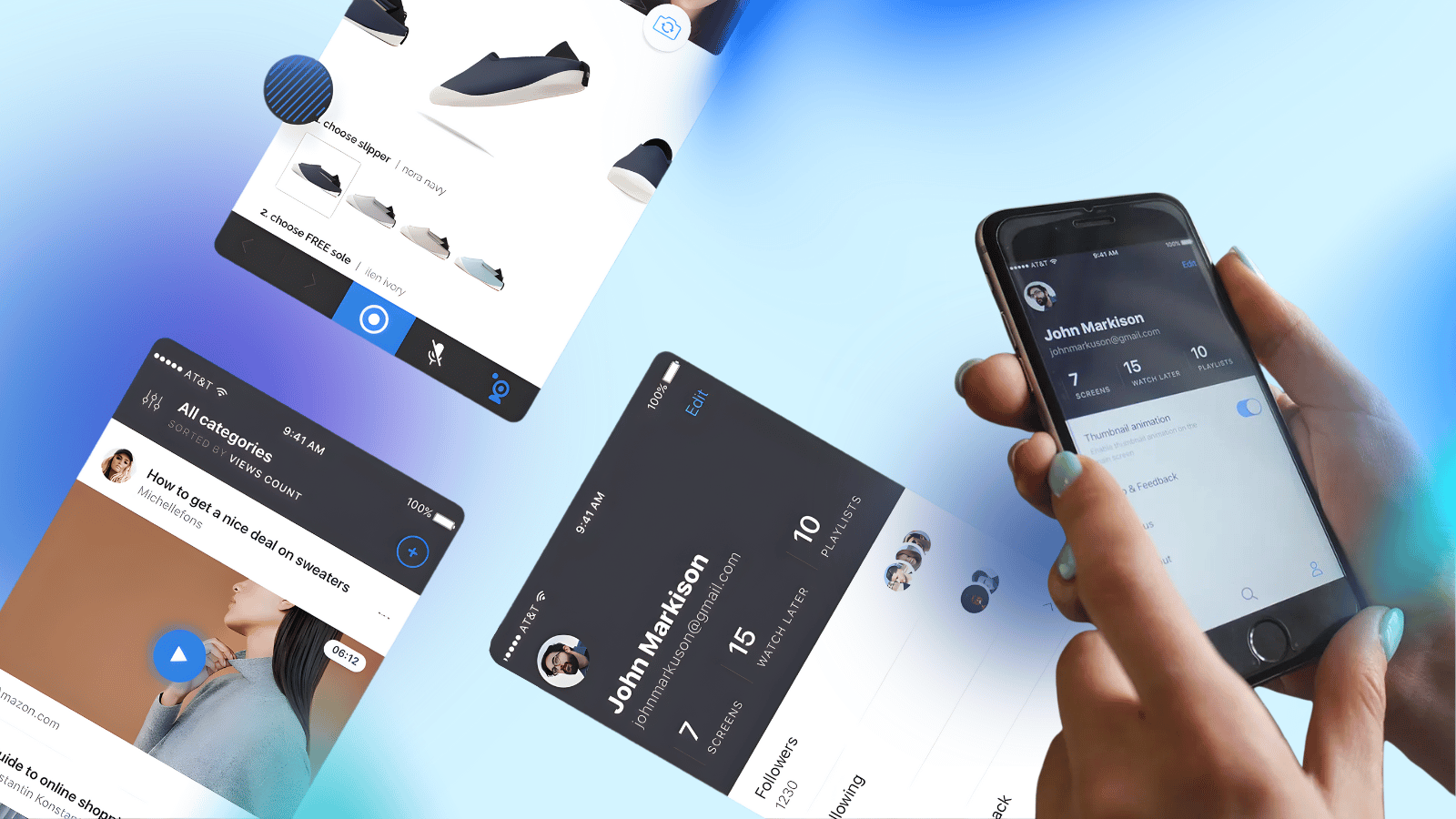
Screenlife stands out from the competition because it saves recordings as interactive video files. When a user watches a Screenlife video, all links and buttons inside the recording remain clickable and active.
- Scope
- 60+ screens
- Testing
- 2 phases, remote + onsite
- Shipped
- V2, both platforms
- Year
- 2018
A Chrome extension that had to become a phone
The Background.
The product started as a Chrome extension. Stakeholders needed a mobile app to build a community and expand the user base beyond desktop users.
The Challenge.
- Keep features simple despite complex recording technology
- Move fast (startup speed) while maintaining quality
- Adapt a comprehensive web platform to mobile screens
What the constraints ruled out
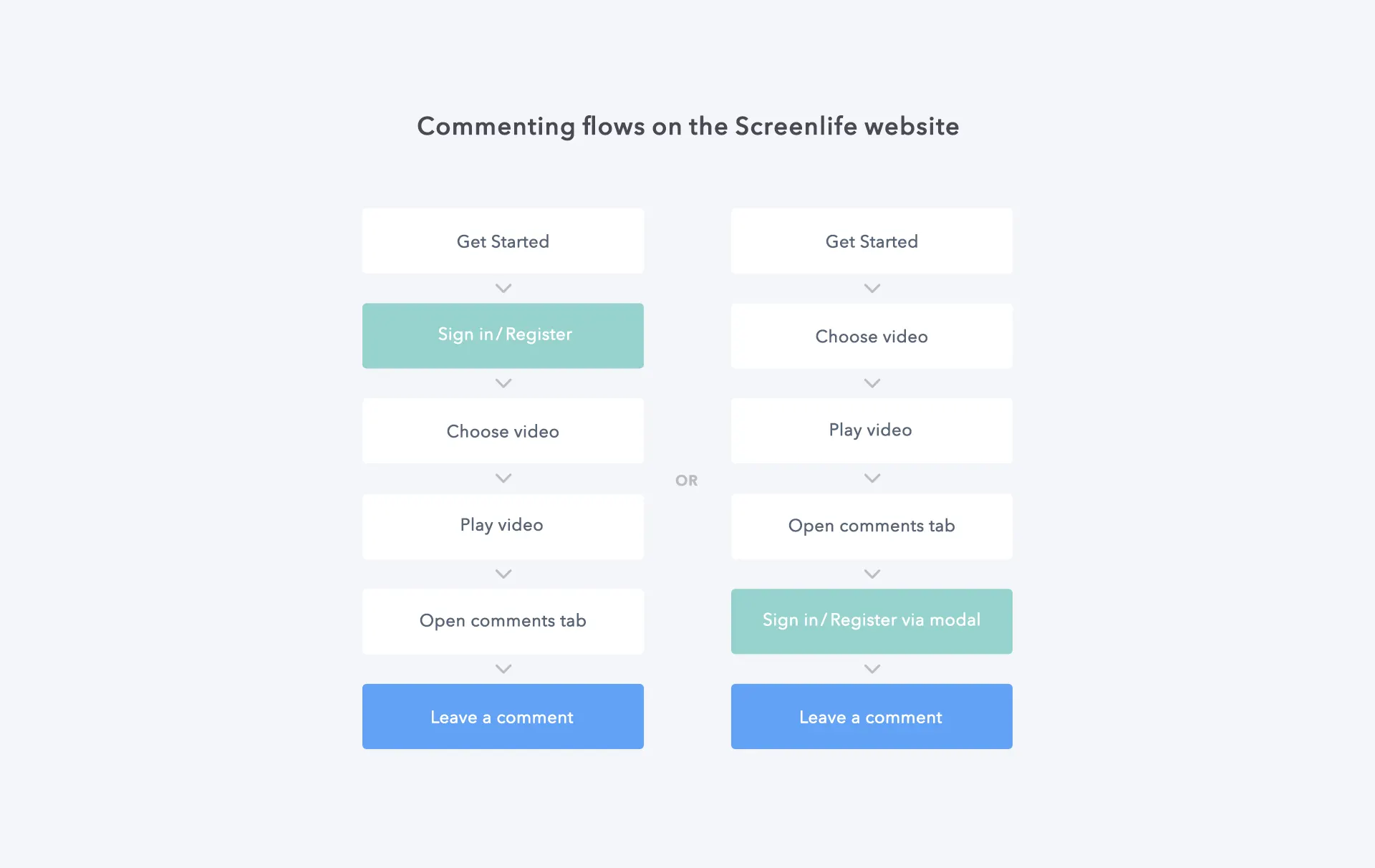
Initial research included competitive analysis, review of Screenlife products, stakeholder interviews, and documenting all UX flows.
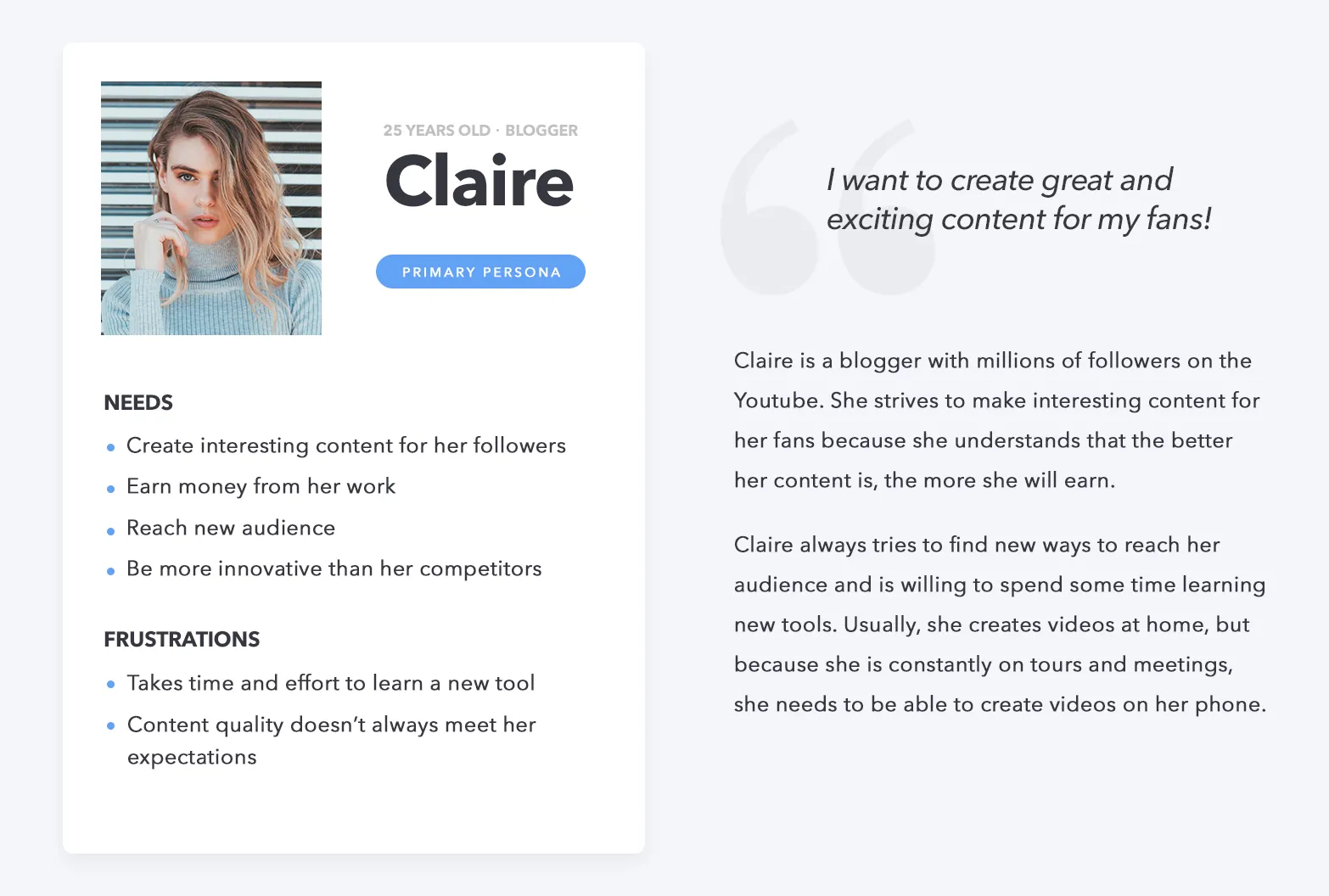
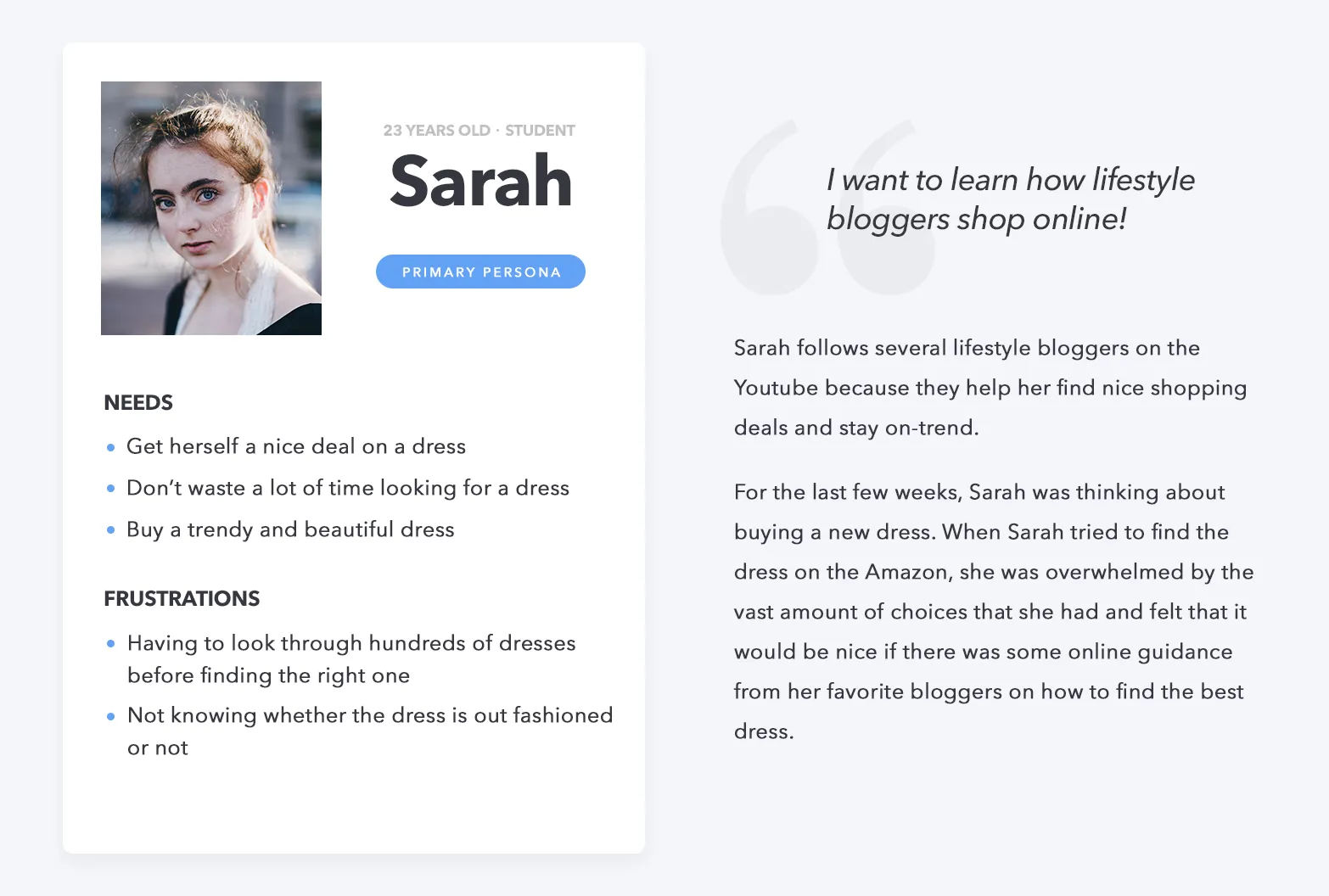
Lacking access to real users initially, I created provisional personas based on stakeholder interviews to guide the early design.
Choosing what the app would not do
We used paper prototypes to adapt web flows to mobile. This allowed developers to spot technical limitations before code was written. Low-fi prototypes allowed us to find the right ideas quickly.
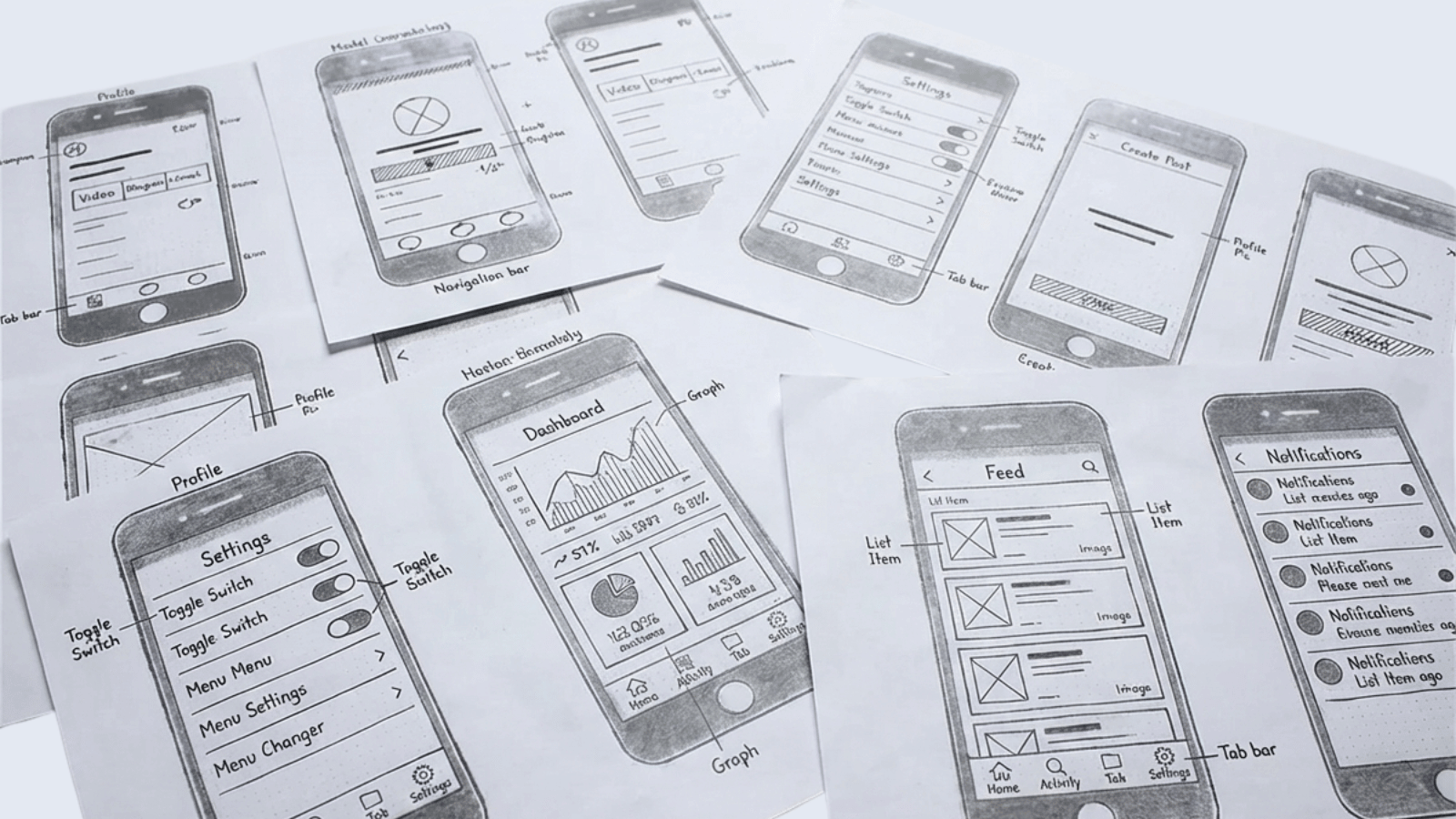
Making an invisible feature visible
Onboarding
Moving to high-fidelity, we prioritized onboarding to explain the technology. While we initially planned heavy animations, scope constraints pushed them to later versions. This proved beneficial, as usability testing later revealed the onboarding flow was already a significant friction point.
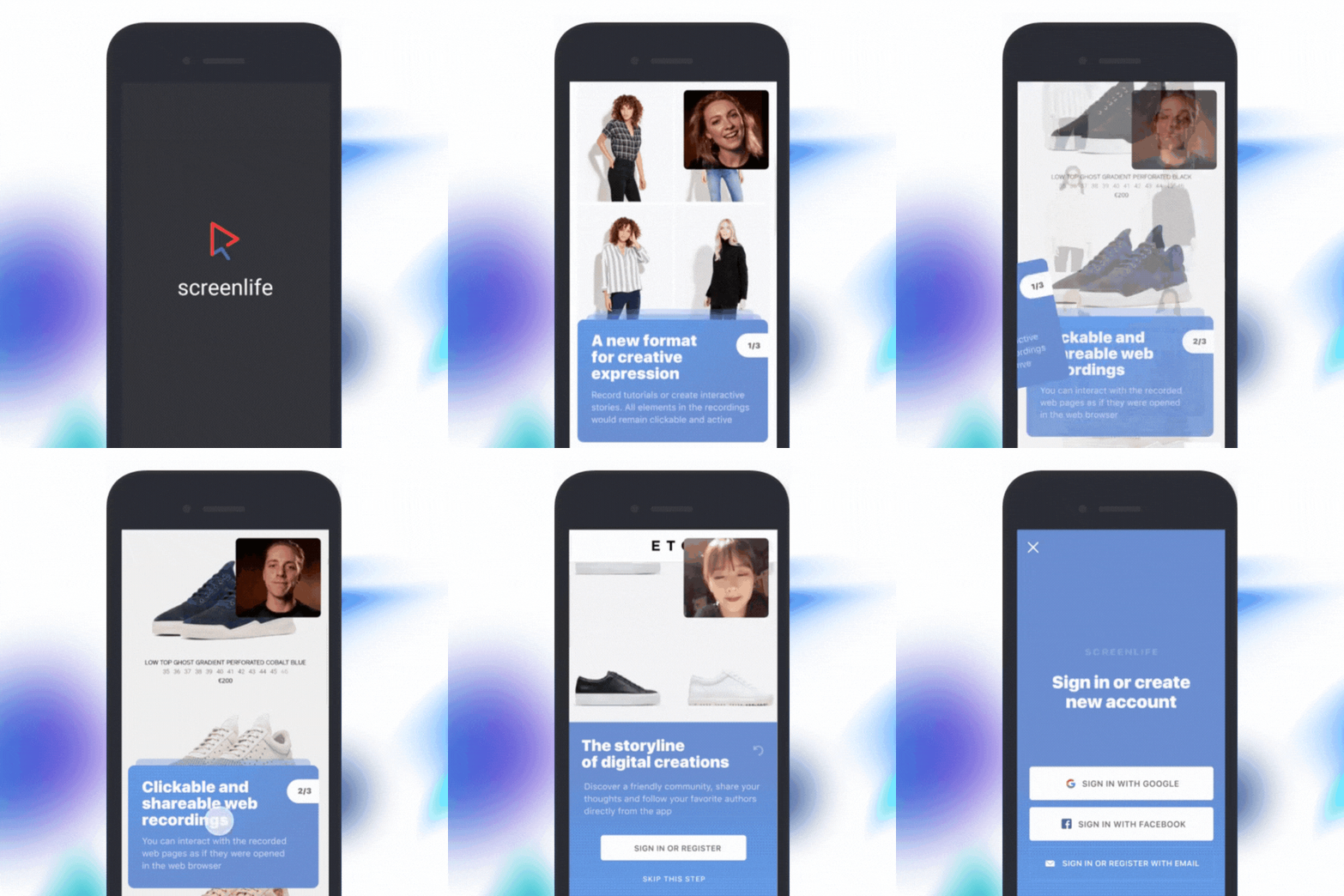
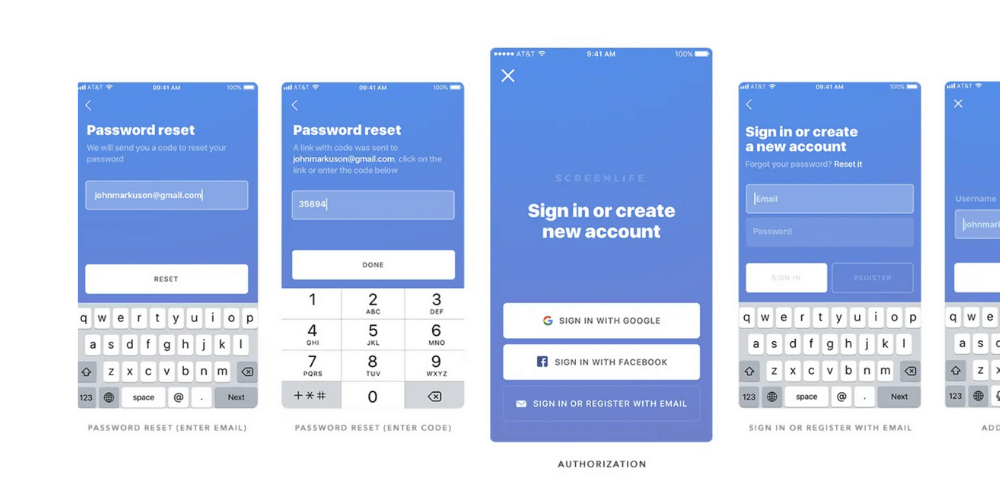
Authorization
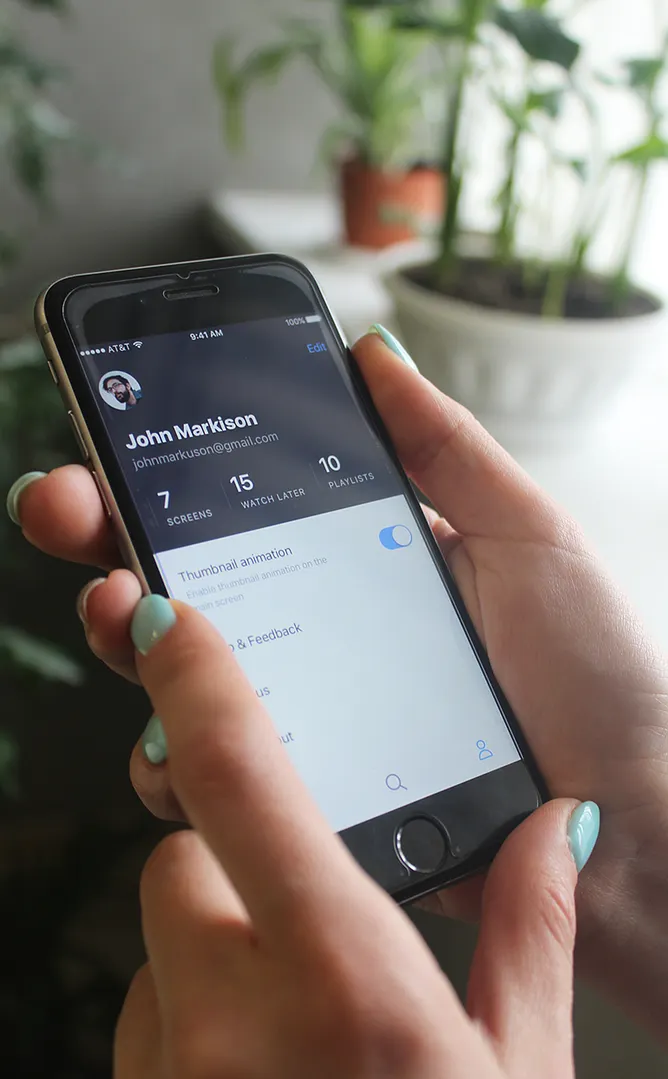
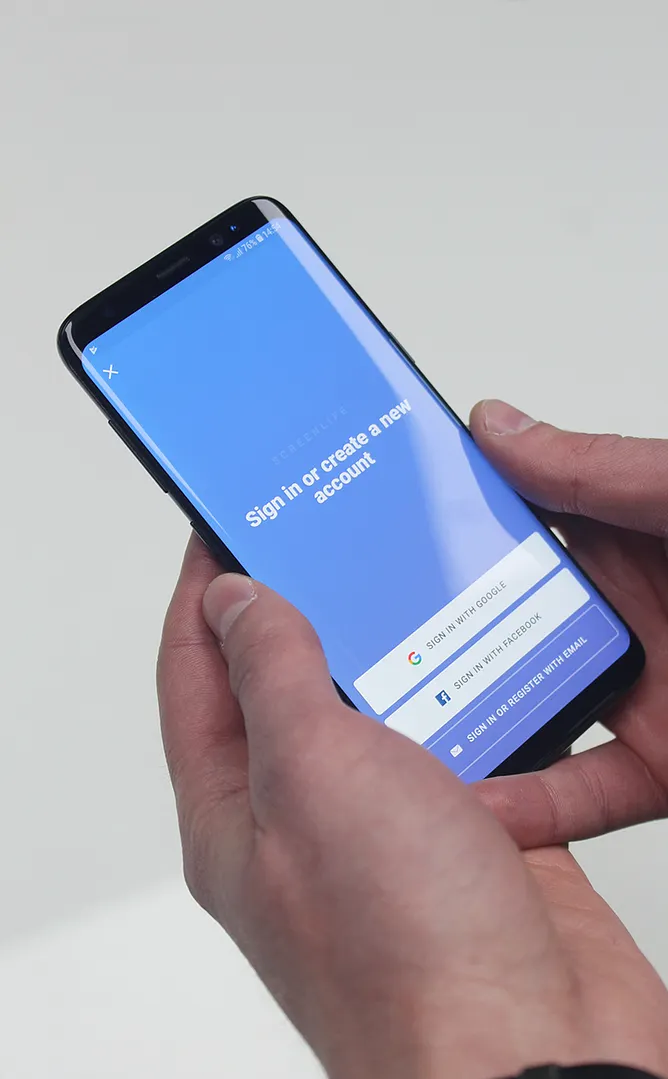
I used Sketch to design the remaining iOS and Android mockups. To meet deadlines and reduce bugs, I prioritized native OS components over custom UI, which significantly streamlined the development process.
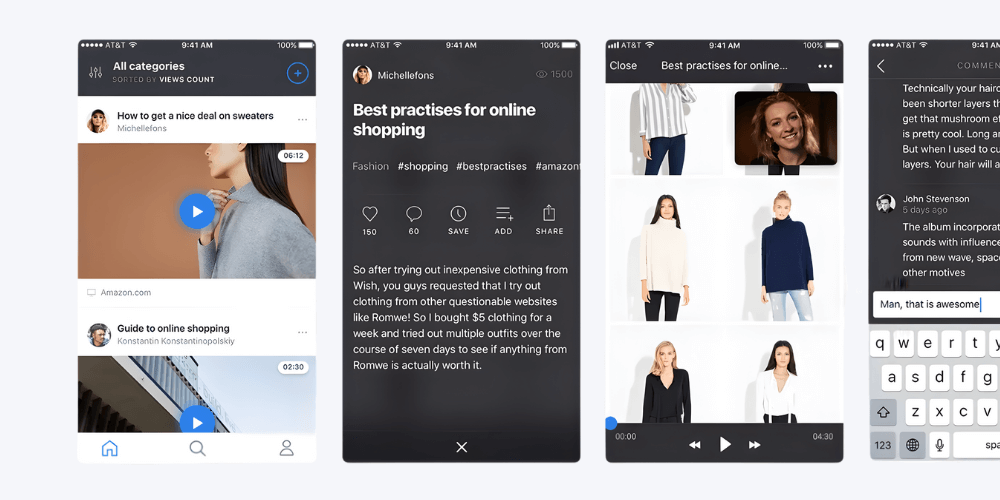
Interact with Recordings
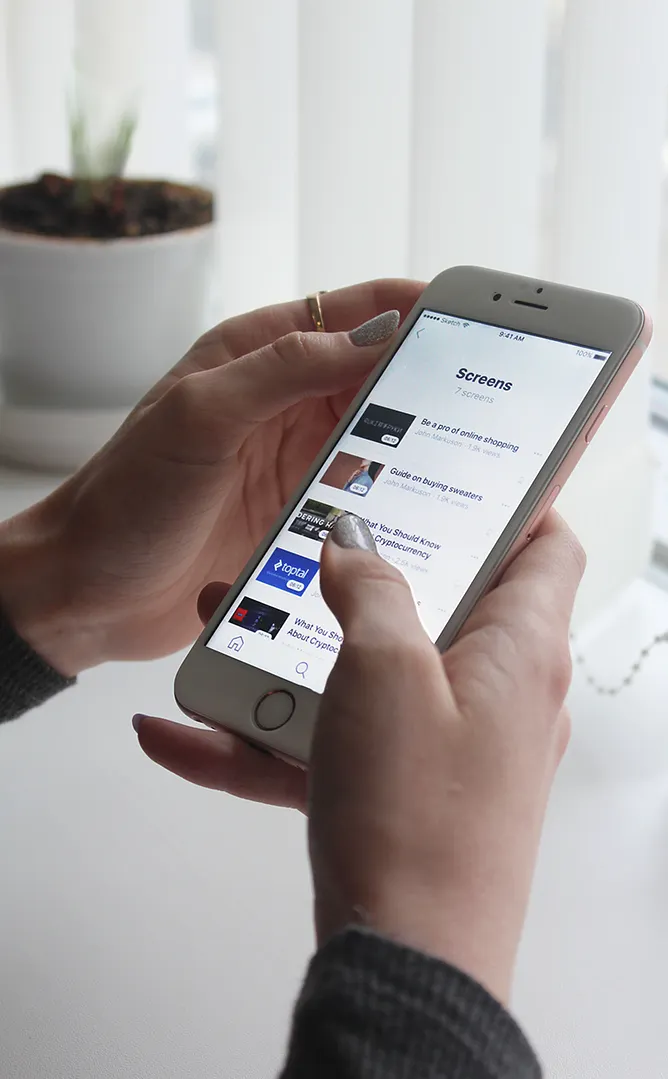
Video elements are fully clickable. Users can add products to a cart or visit websites directly from the player.
Create Content
Effortlessly record interactive tutorials, product tours, and immersive stories.
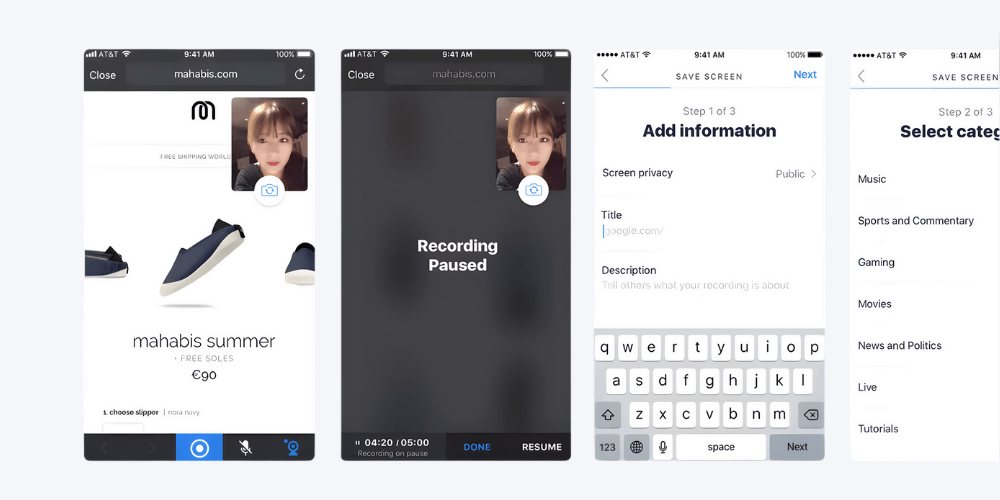
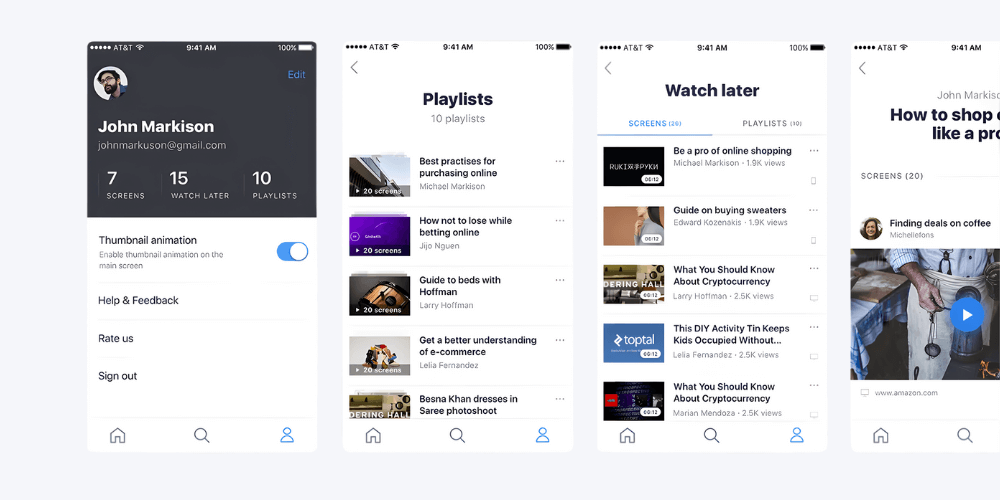
Build Your Profile
Curate recordings into private or public playlists to share with friends and the Screenlife community.
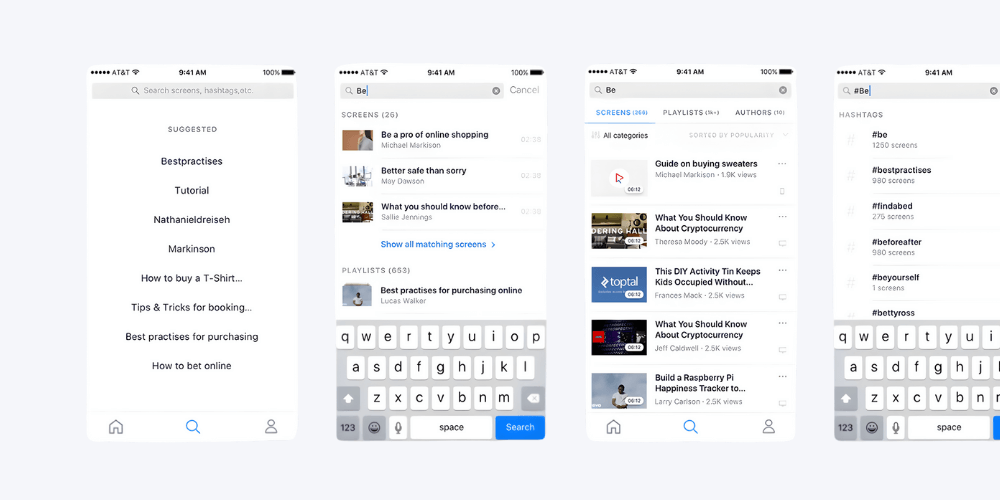
Search & Discover
Find content easily by searching hashtags, creators, or video titles.
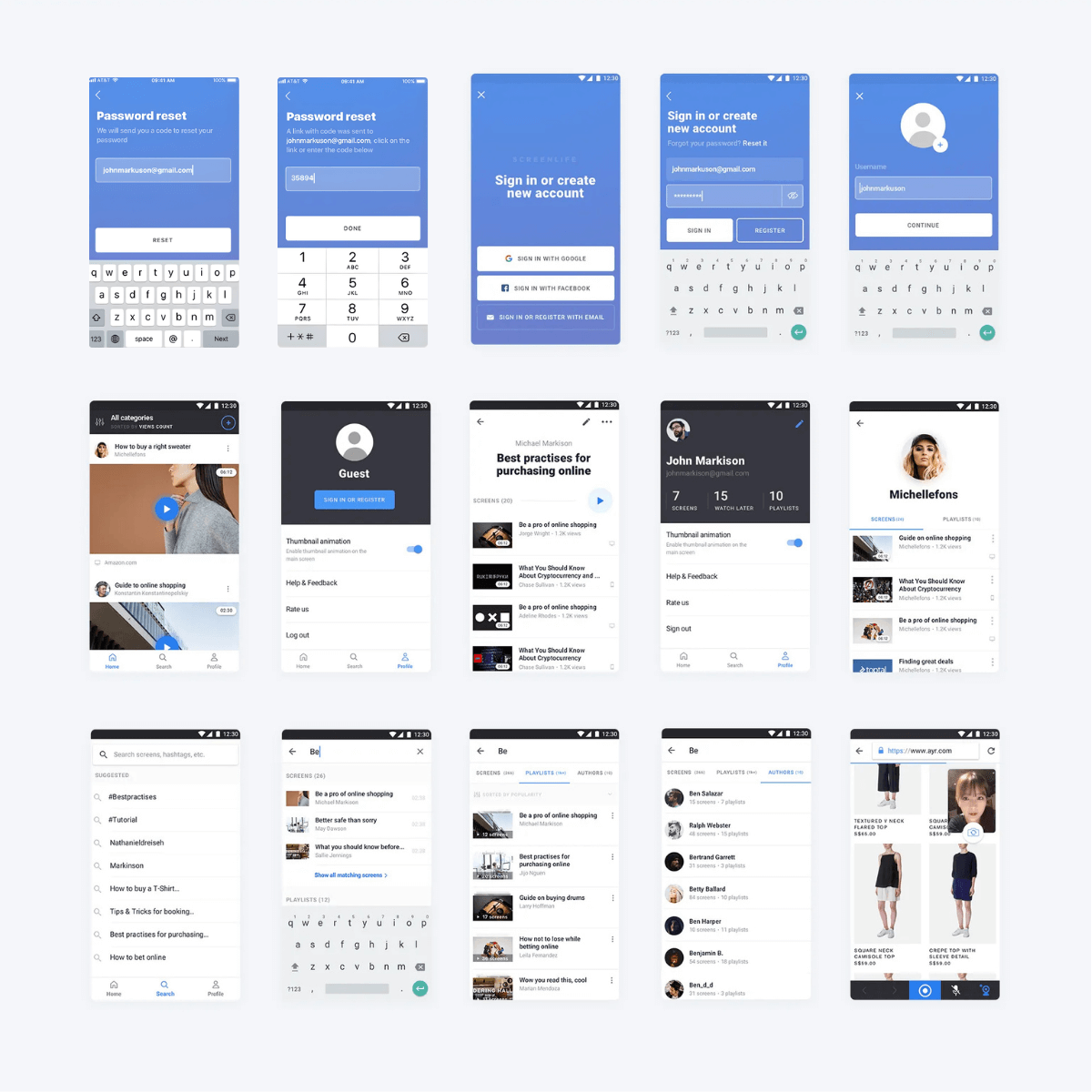
The Android App
Additional work has been done to make sure that users with low-resolution Android phones would have a nice user experience too.
First usability testing sessions
Round one: they could not tell a link from an author
Search Clarity
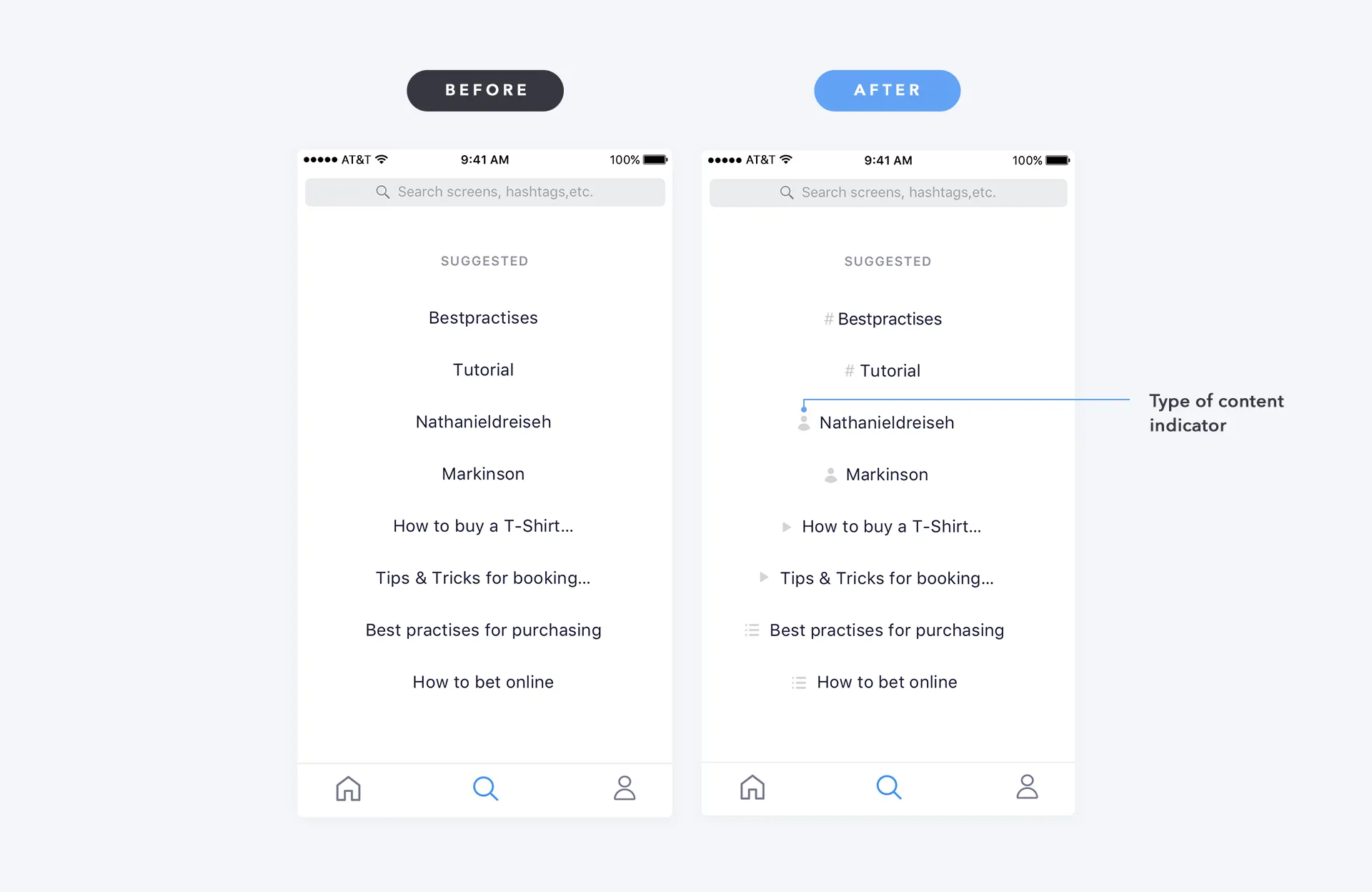
Users couldn't distinguish between links, authors, and hashtags in search results.
solution:
Added content type icons to each search result for instant recognition.
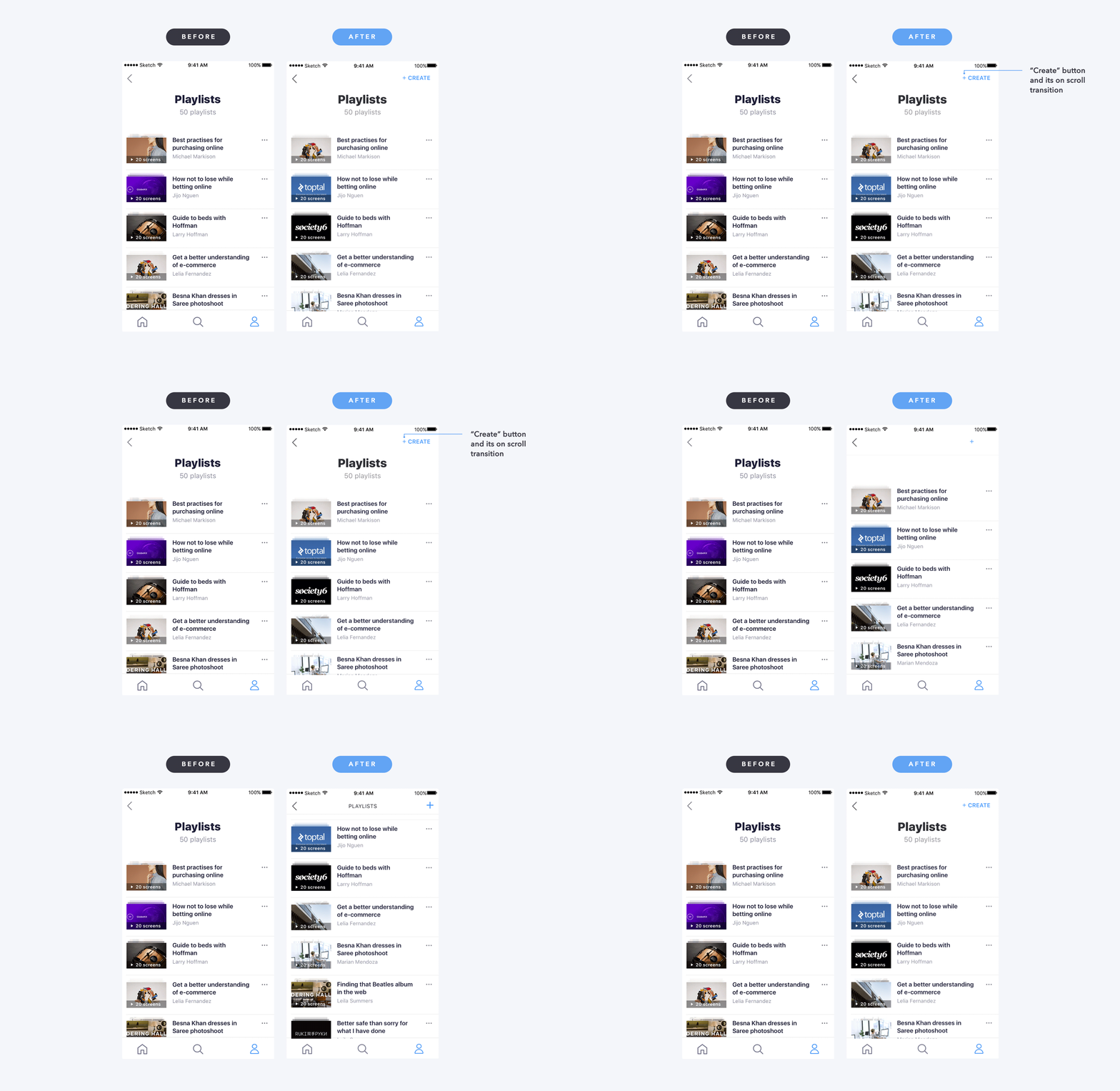
No Playlist Creation
Users couldn't find how to create a new playlist within the app.
solution:
Added prominent “Create” button to the playlist screen.
Player Behavior
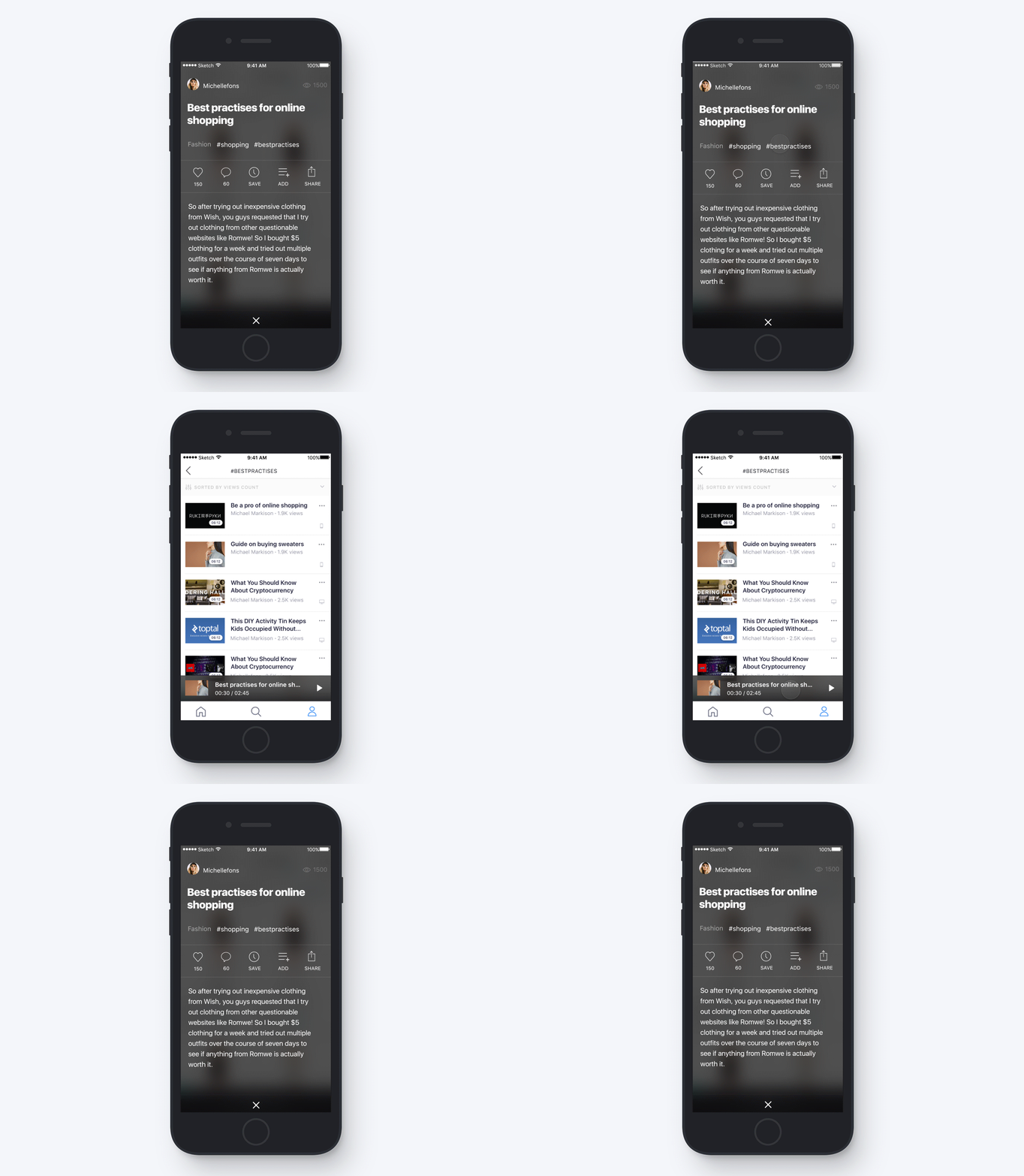
Users expected the player to minimize like YouTube when navigating away.
solution:
Added minimization logic with persistent mini-player.
Holding the build to the spec
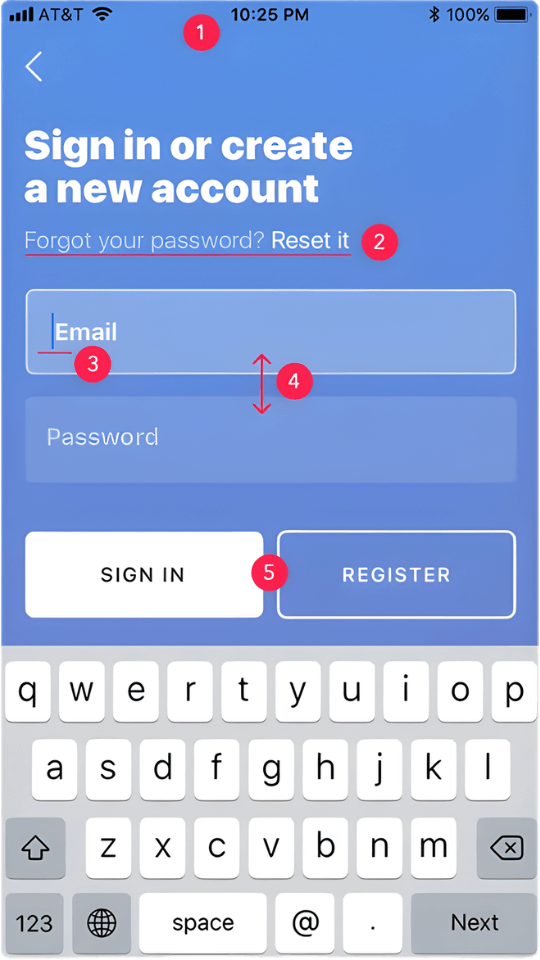
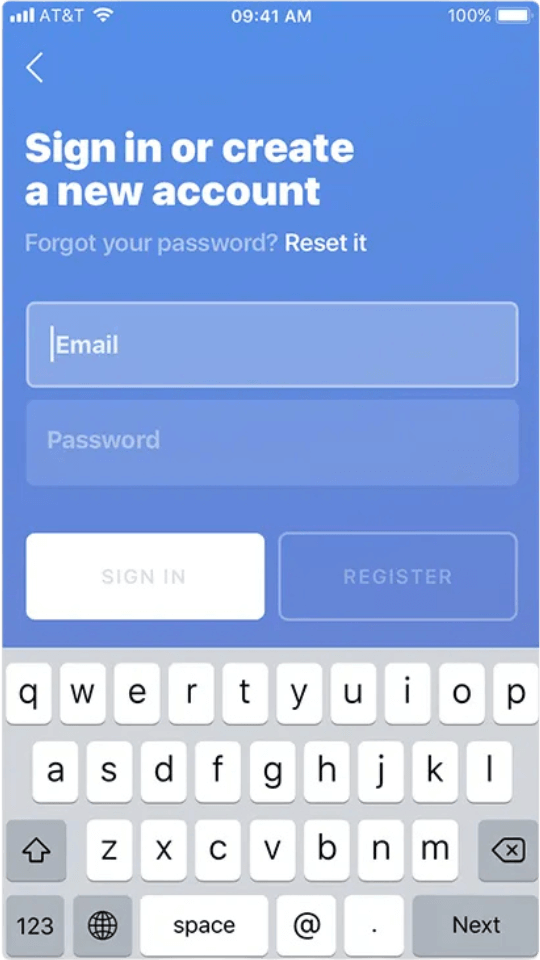
With 60+ screens in development, I conducted design reviews to fix execution gaps in spacing and layout. Small details (margins, spacing) were missed during implementation, so I created design review docs to align code with design.
comments
- 1.Change the status bar color from black to white #ffffff
- 2.Change the font weight from Regular to Medium
- 3.Change the cursor color from blue to white #ffffff
- 4.Decrease the margin between fields by 50%
- 5.Buttons should be disabled until the users enter their email and password
before
after
Some users hated it, some fell in love
We validated core flows through remote unmoderated testing. While some feedback was subjective, the data successfully exposed critical friction points, specifically the need to refine our search filtration.
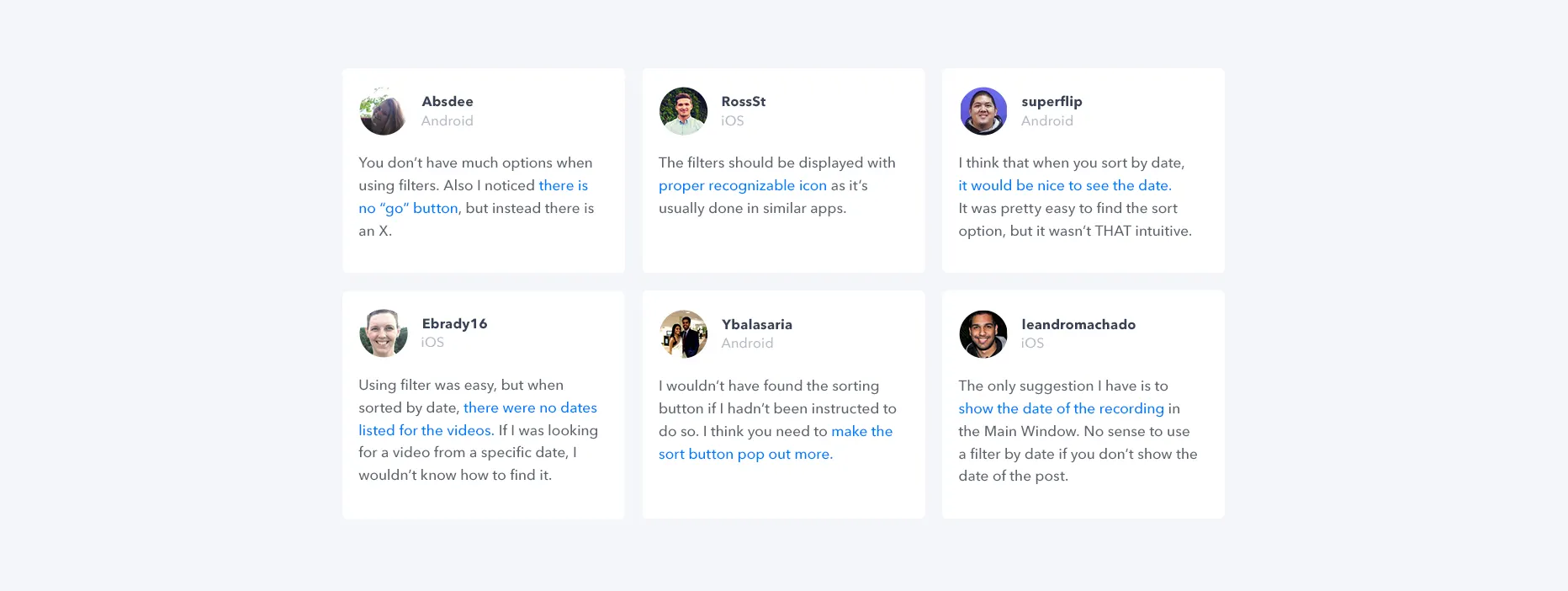
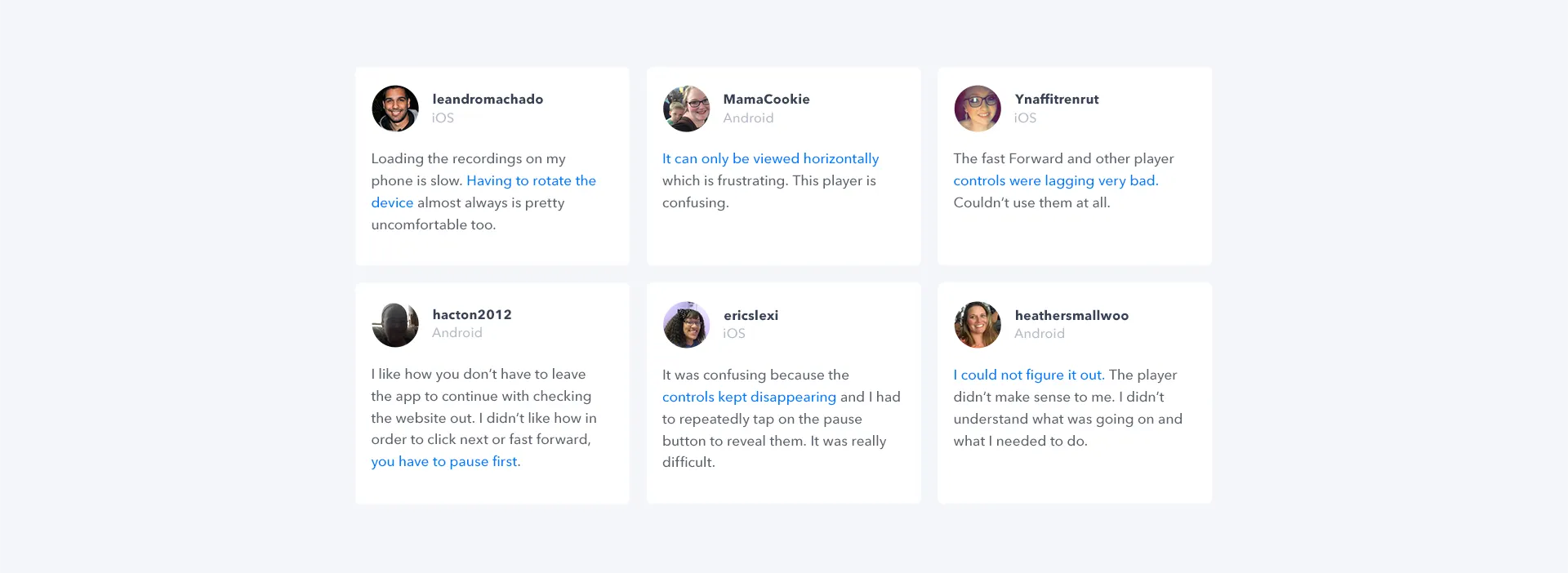
Feedback highlighted friction with player controls and frustration with the forced landscape mode.
Some users hated our app, and some fell in love.
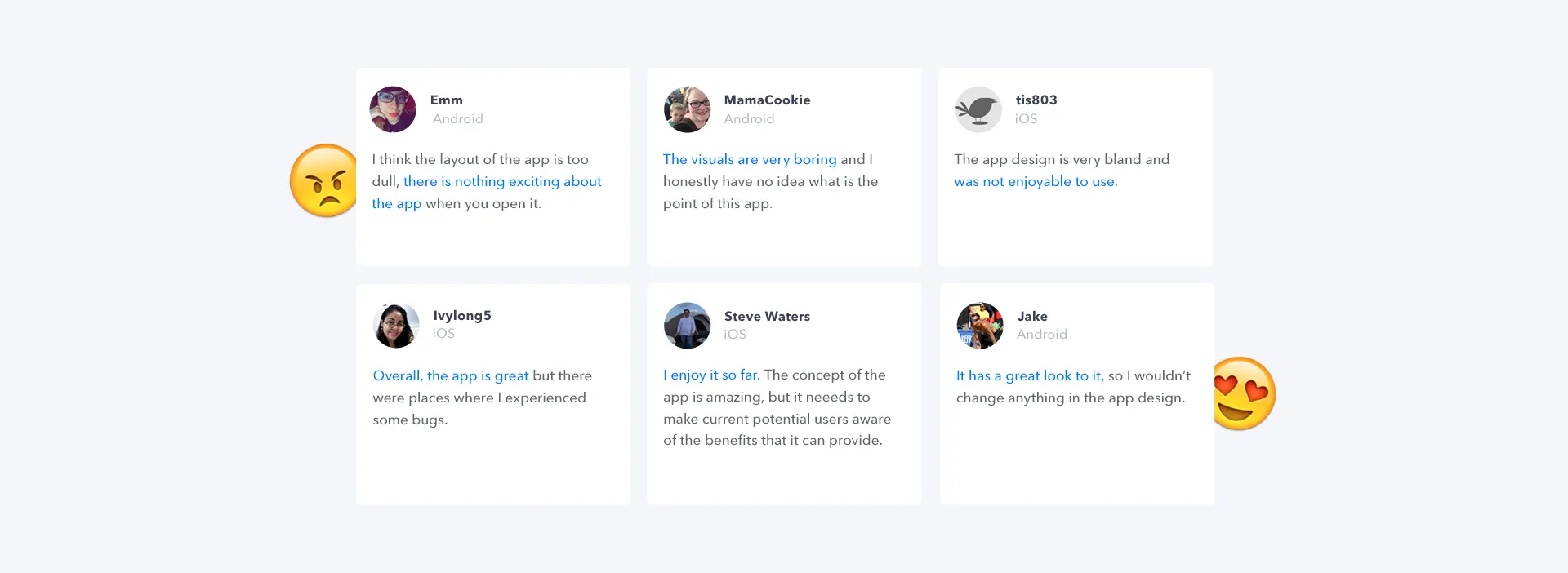
The results made it clear that we needed to continue testing for more robust feedback.
Round two, in the room
24 Issues Found
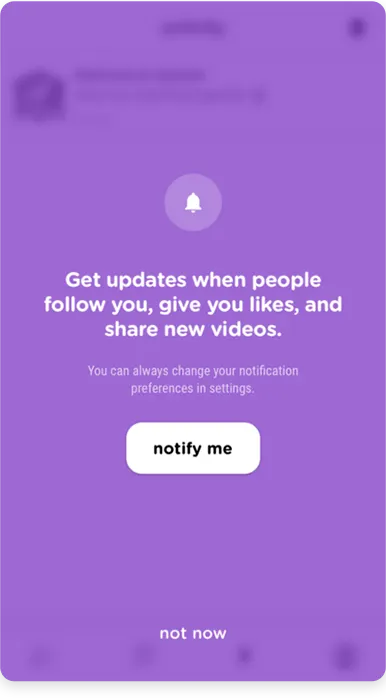
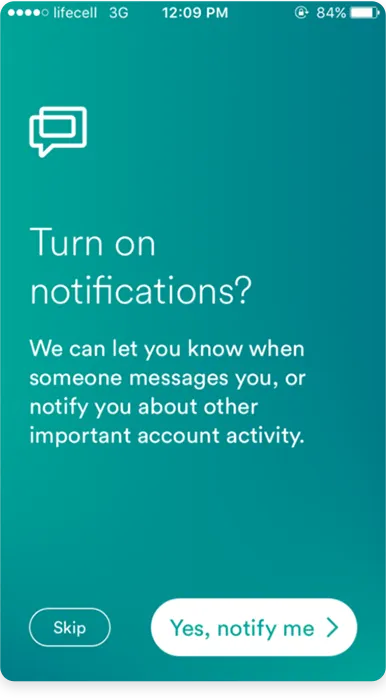
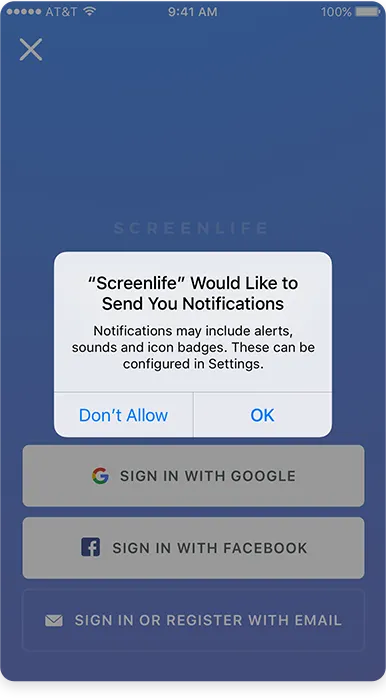
Permission Dialogs
Users denied native prompts immediately. We moved to custom pre-permission primers.
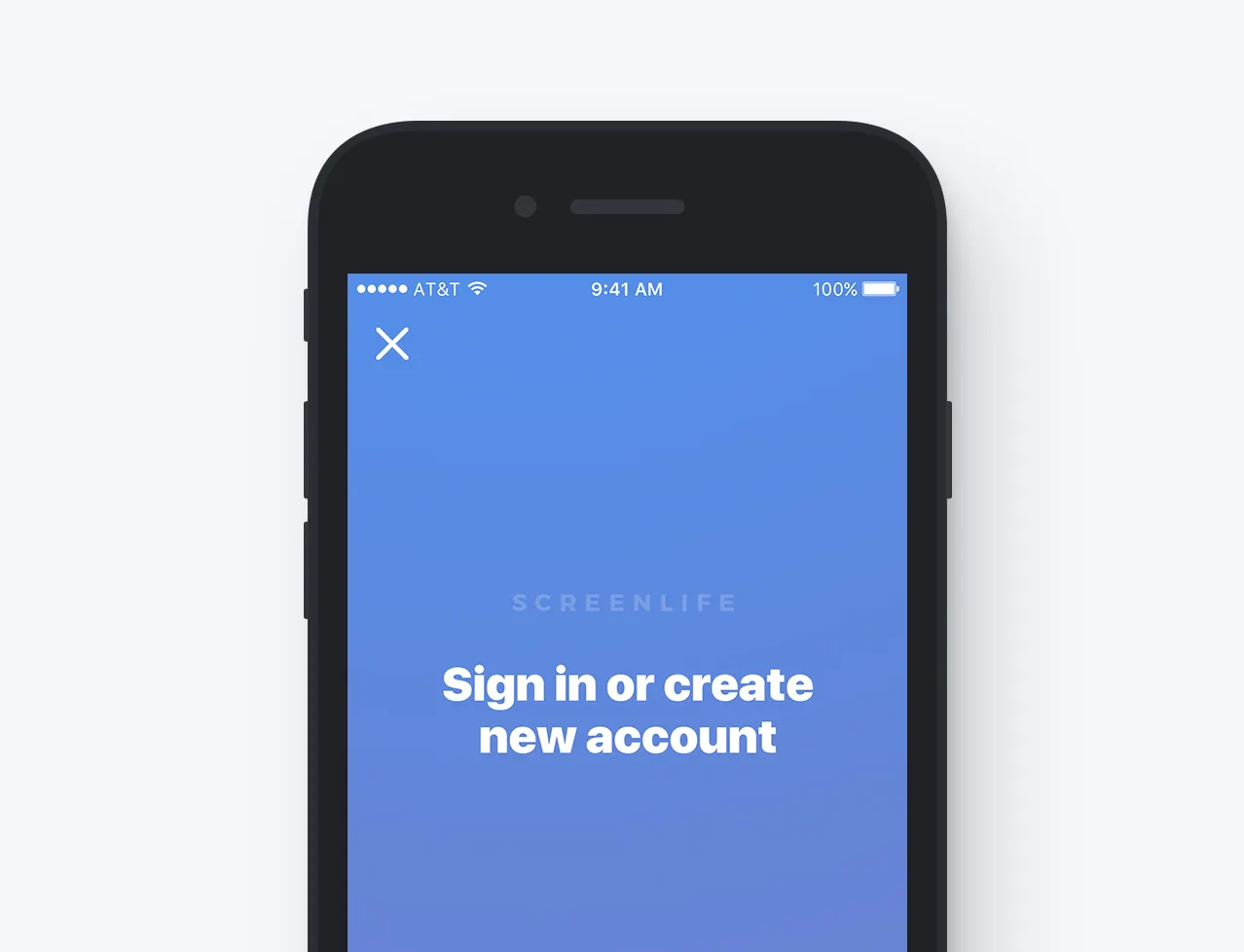
Sign-in Barrier
Users missed the “Skip” button. We redesigned the header to make it prominent.
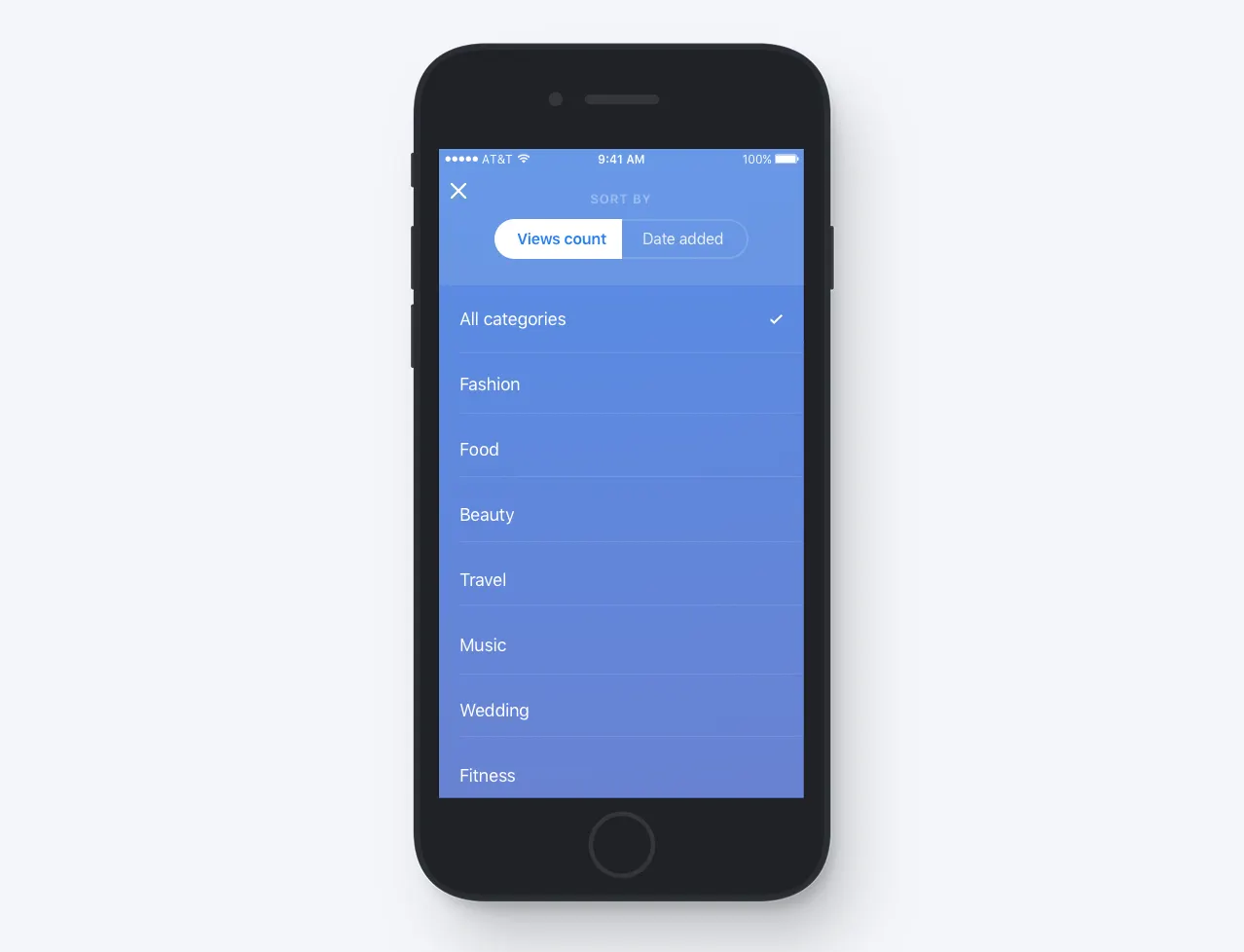
Filtering
Applied filter state was unclear to users. We added better active states.
Hashtag Input
Users tried typing “#” manually. We added an auto-placeholder.
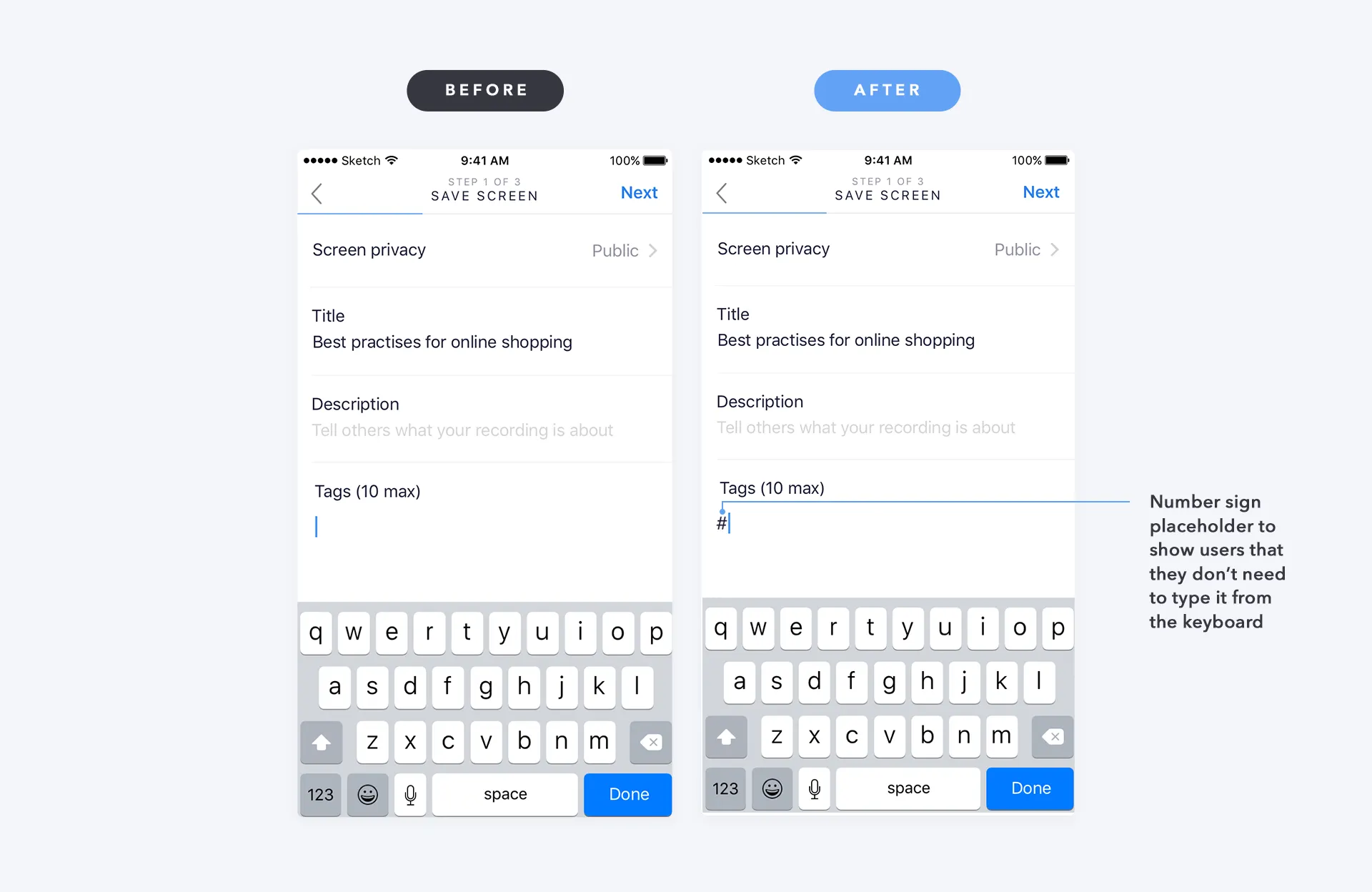
What the second version changed
Based on the 24 issues, we shipped a major redesign focusing on clarity and social features. We added time/likes/views to thumbnails, sorting tabs (Popular/New/Following), and prioritized the Follow feature.
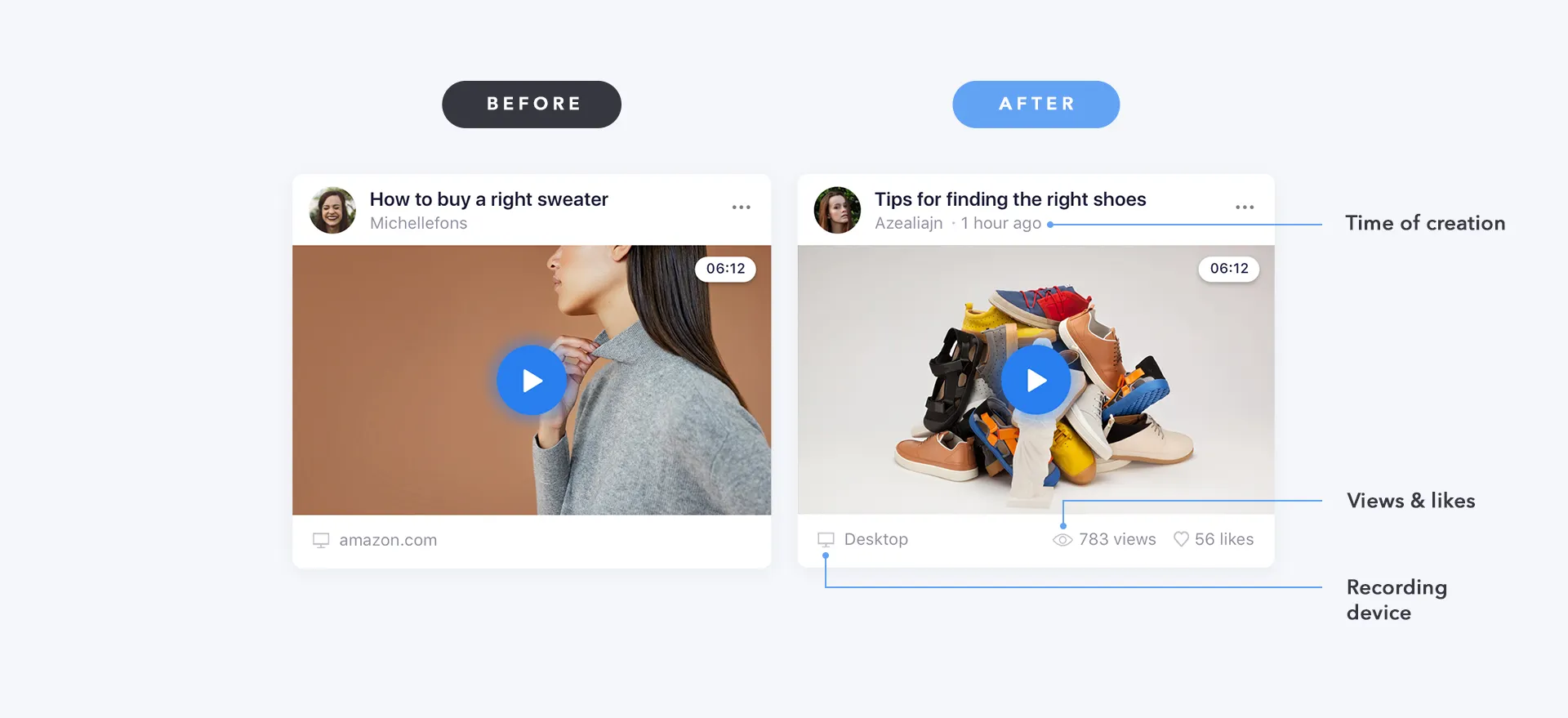
Adding metadata (time, views, likes, device) to video cards
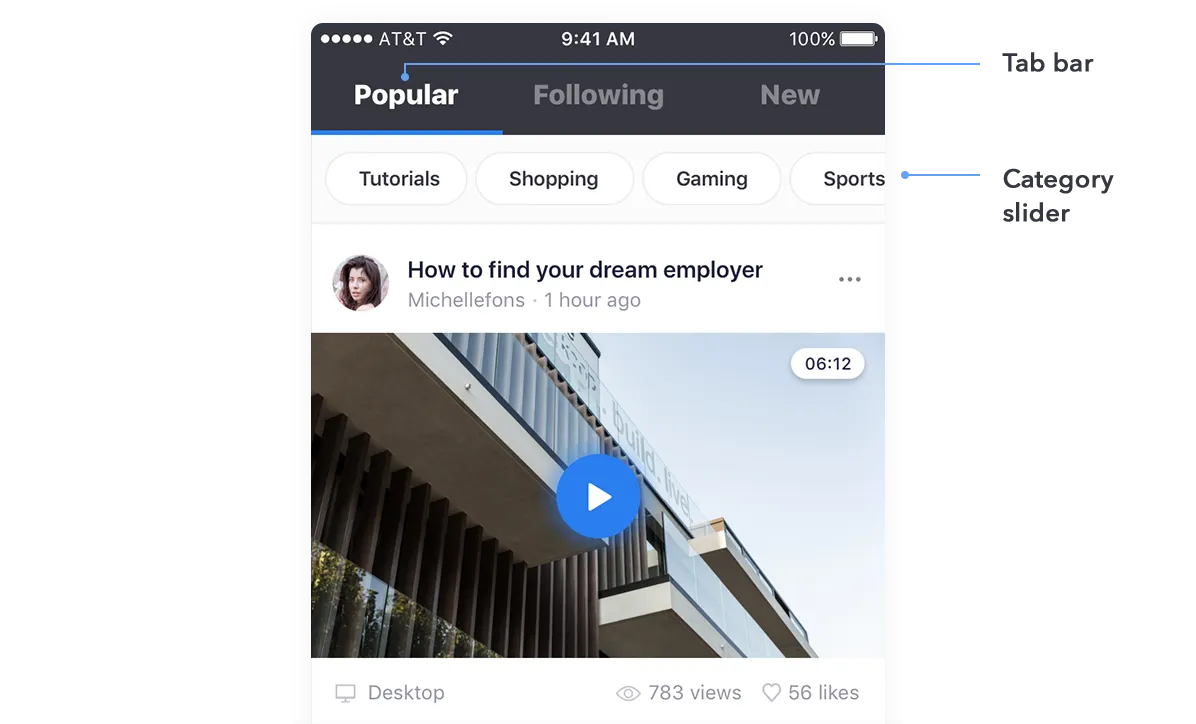
New tab bar and category slider for content discovery
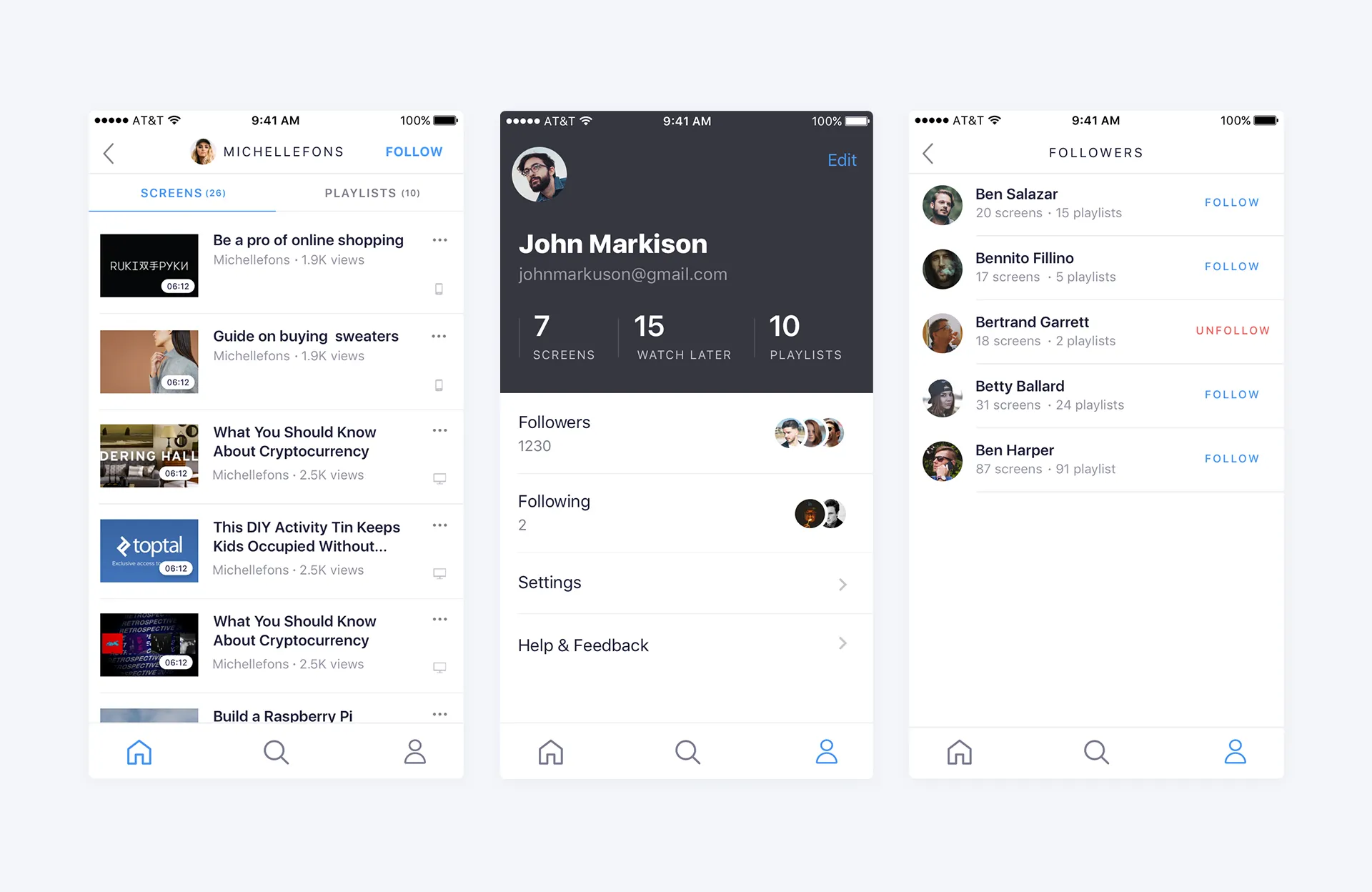
Enhanced social features: profiles, screens, and followers
What I would do differently
I shipped personas built on assumptions
Stakeholders were my only proxy for users, and I designed a persona set from them anyway rather than pushing to reach real recorders. Two of the three Phase 1 findings were things a single real user would have caught in an afternoon.
High fidelity bought me polish and cost me time
I tested InVision prototypes because they demo well to stakeholders. Paper would have surfaced the search-clarity and playlist problems weeks earlier, at a fraction of the work thrown away.
Forced landscape was my call, and it was wrong
I locked the player to landscape because the interactive frame needed the width. Remote testing split the room on it, and V2 gave the orientation back to the user. The recording technology set the constraint; I should not have passed it straight to the person holding the phone.
Screenlife · 2018 · iOS & Android
back to all projects